Work/OrbitForm
OrbitForm, online forms and e-signatures for NDIS providers
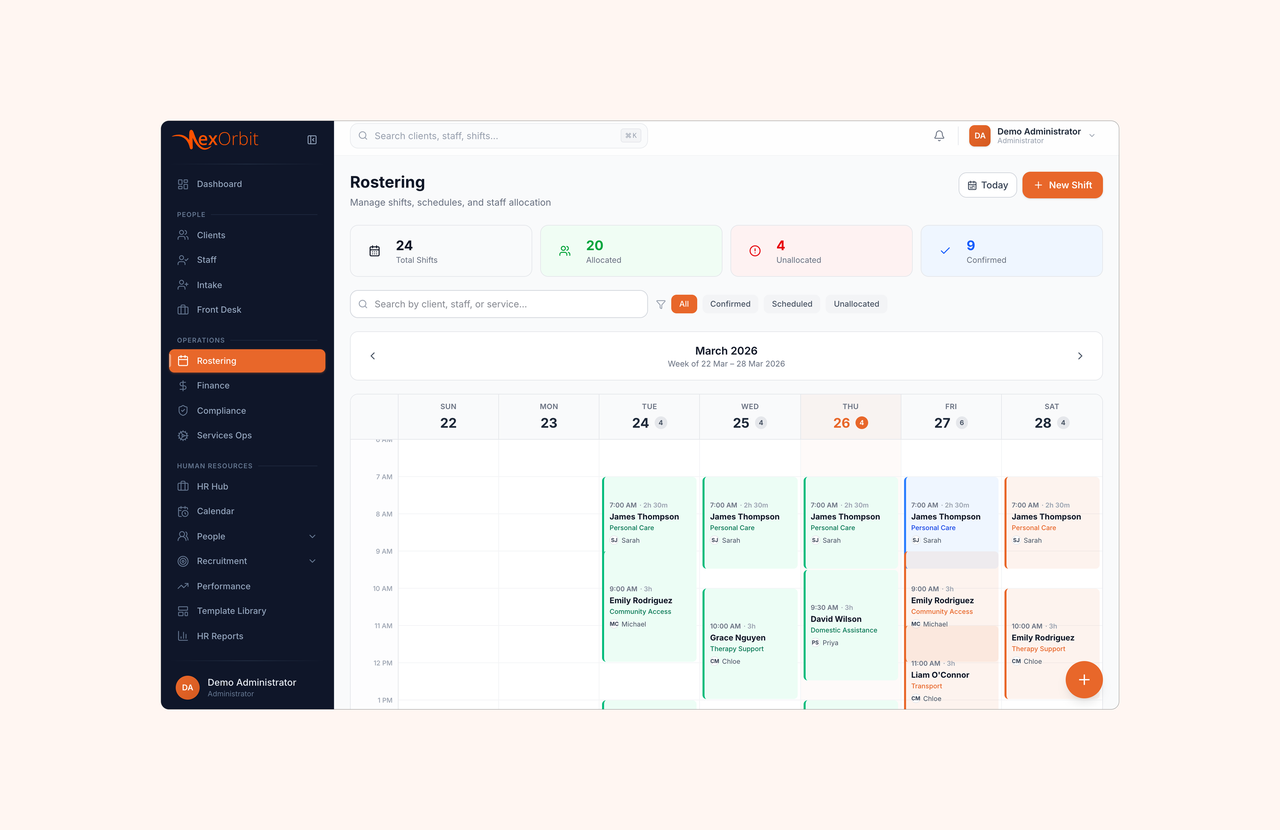
OrbitForm helps providers under Australia's National Disability Insurance Scheme (NDIS) collect information and get agreements signed in one place. When someone submits a form, it checks the answers for risk, creates the documents, adds the details to the care system and sends anything that needs a signature.
- Client
- NexOrbit
- Industry
- Government-funded careNDIS
- Role
- UX Engineering / Product Design
- Services
- Product designService designUX and UI designDesign systemFront-end build
- Timeline
- 2026
- Status
- Live
Build, collect, process, review
Most form tools stop at Submit
For a disability provider, Submit is where the work starts. A referral has to become a client record. An incident has to reach the right person today. An agreement has to be signed before support can begin, and all of it has to stand up years later, in an audit. OrbitForm was designed around that gap.
- 01
Answers were typed twice
A referral arrives in a form tool, then somebody copies it into the care system by hand. Two records, two chances to get it wrong.
- 02
Agreements sat unfiled
Signed agreements stayed in inboxes, so the participant record was not updated and the service could not start.
- 03
Risk waited in an inbox
A serious incident looks the same as a feedback note until someone opens it.
- 04
Audits meant rebuilding the past
Evidence was gathered after the fact, from inboxes and folders, weeks before a review.
What was designed
- ForNDIS providers in AustraliaThe staff who take in new clients, check compliance and give support
- DoesForms, answers and e-signaturesFrom the first question to the signed agreement
- PlatformsStaff build on the web, people fill in on a phoneForms still work without internet
- ChecksFive scores on every responseFixed rules first, then an AI review
- SigningOrbitSign, built inChecks who is signing, locks the document and issues a certificate
- Build timeAbout four weeksDesigned, built and launched with a provider
From a link to a signed agreement
The same journey seen from three sides: what the person filling the form does, what OrbitForm does for them, and what the provider gets back. It moves on by itself, and stops while you read.
- 01The linkNo account
- The person
- A link, a QR code or a personal link arrives, by email or text.
- OrbitForm
- The form opens on any phone, with no sign-up and nothing to install.
- The provider
- The view is counted once per visitor, so the numbers mean something.
- 02Filling it inSaves itself
- The person
- Questions come one at a time, and only the ones that apply.
- OrbitForm
- Every keystroke is saved, and the form keeps working with no signal.
- The provider
- The drop-off report shows the question where people stop.
- 03SubmitOne press
- The person
- One press, and a copy of the answers by email if the form offers it.
- OrbitForm
- The response is verified and stored, and six jobs are queued at once.
- The provider
- The bell rings the moment it lands.
- 04ScoredReasons, not guesses
- The person
- Nothing more to do.
- OrbitForm
- Rules score risk, compliance, evidence and confidence, then the AI reads it.
- The provider
- Every point shows the answer it came from.
- 05FiledNever retyped
- The person
- Nothing more to do.
- OrbitForm
- The documents are written and the record is created in the care platform.
- The provider
- A referral, client, incident or agreement, already in the right place.
- 06ReviewedCorrected in place
- The person
- Nothing more to do.
- OrbitForm
- Correcting an answer rescores the response and keeps the old version.
- The provider
- Mark reviewed, edit, or send it for signature without leaving the drawer.
- 07SignedSealed
- The person
- Identity is checked, consent is given, and the signature is typed or drawn.
- OrbitForm
- The content is hashed, the document sealed and timestamped, the certificate issued.
- The provider
- If an answer changed after sending, the envelope stops itself.
- 08Support startsThe point of it all
- The person
- The signed copy arrives.
- OrbitForm
- Signing fires the routing job.
- The provider
- The agreement is live in the care platform, and the service can begin.
Building a form should take minutes, not a meeting
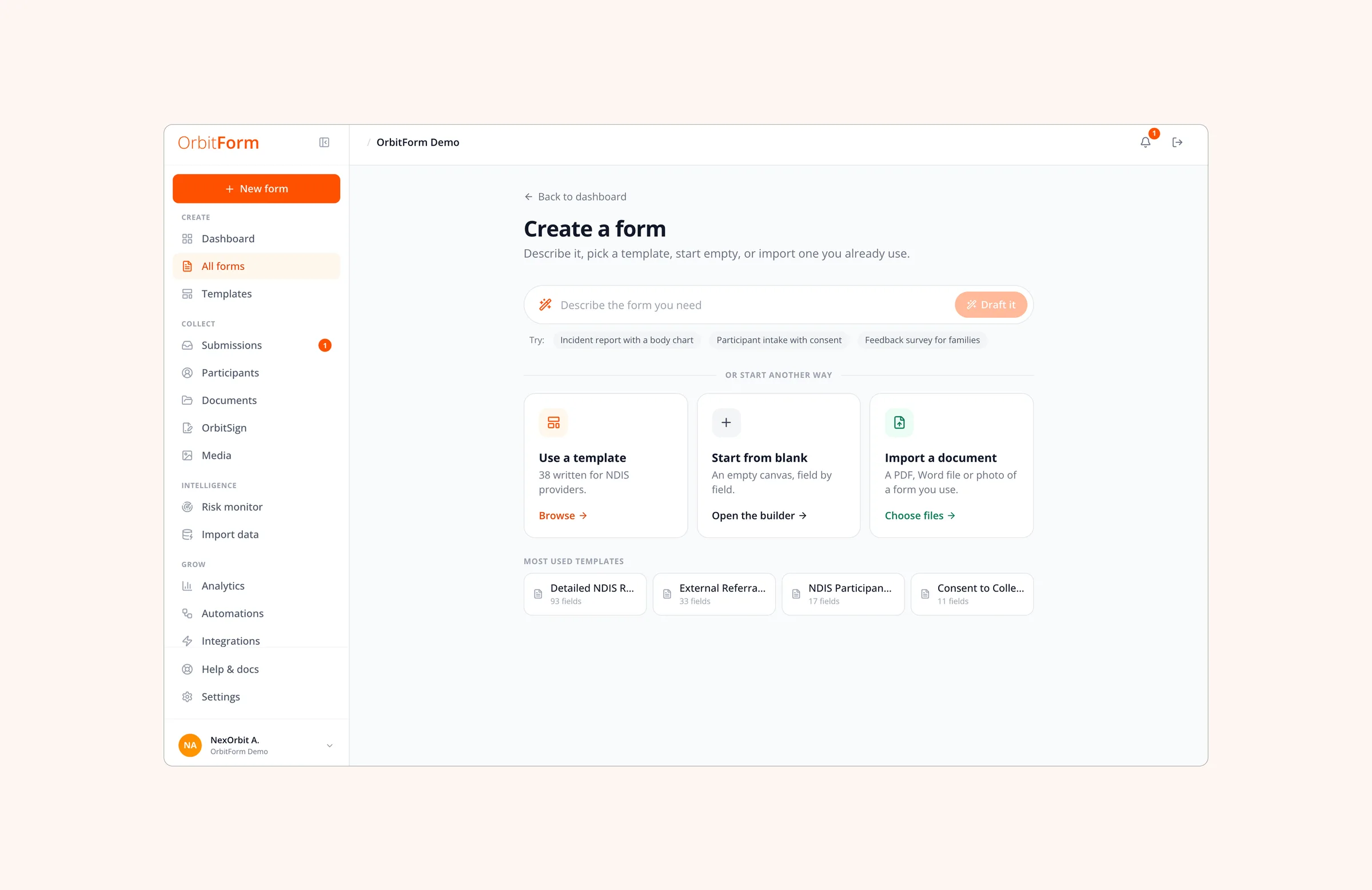
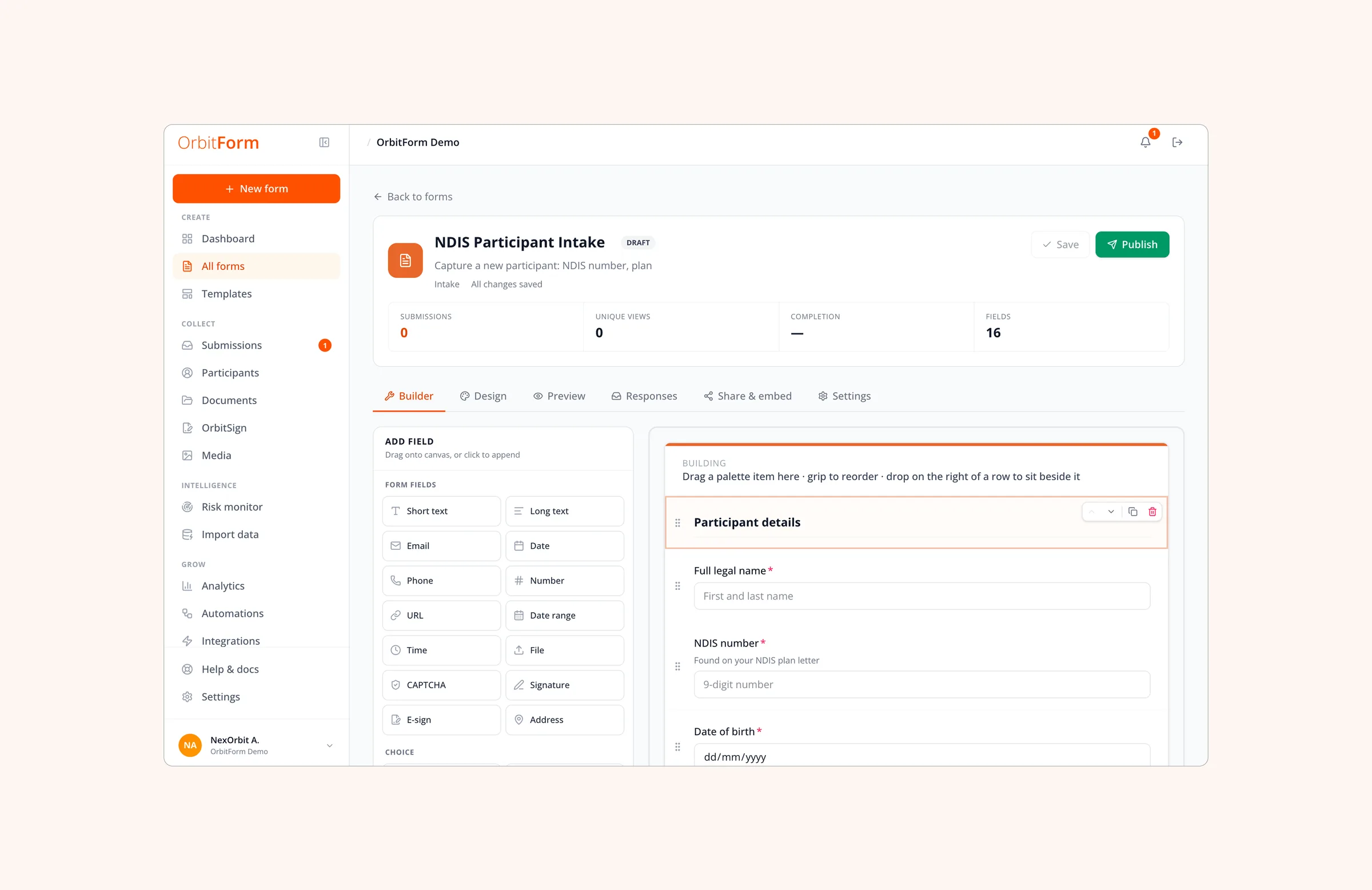
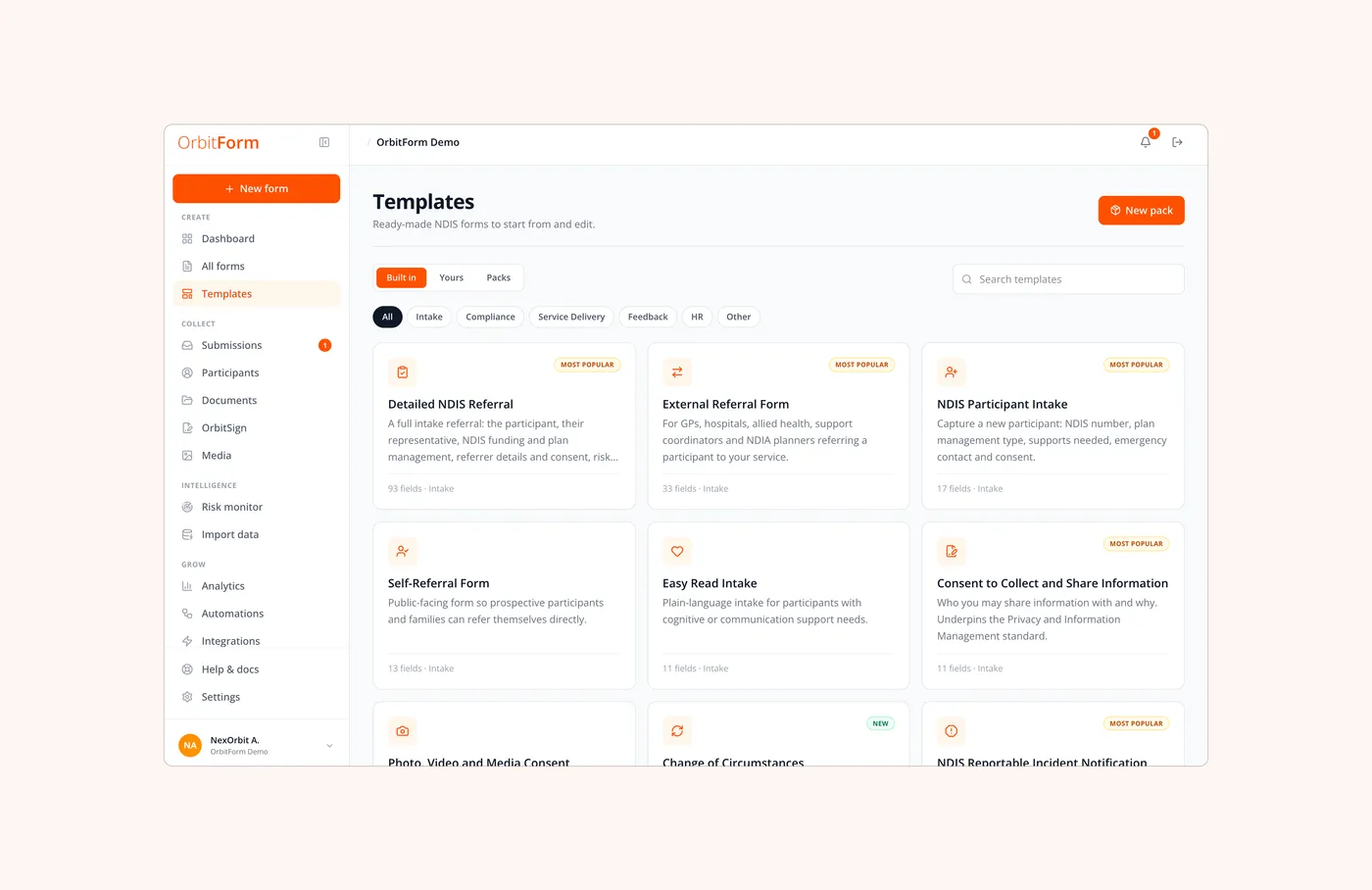
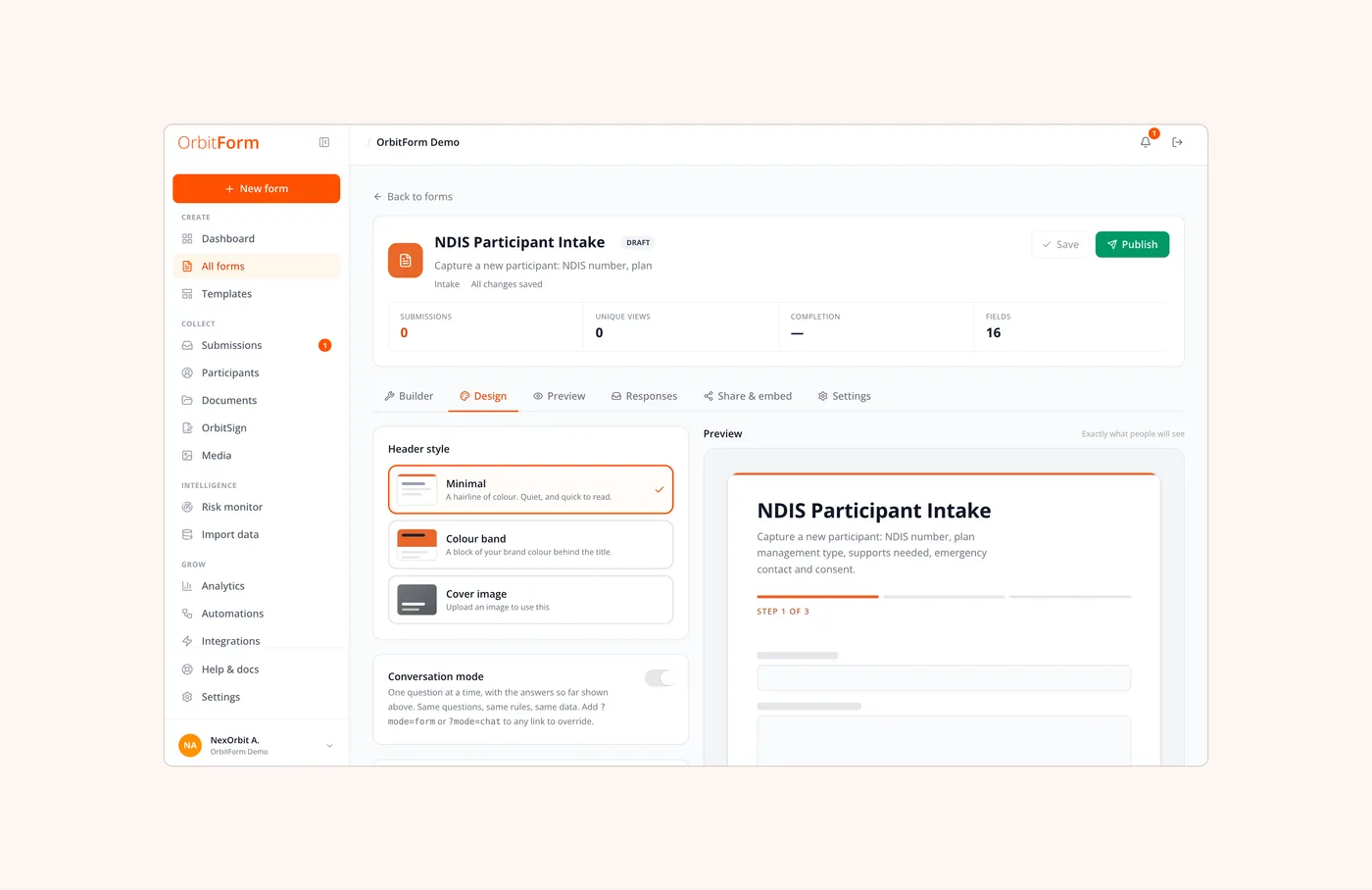
A coordinator can describe the form in a sentence and OrbitForm drafts it, or they can start from one of the NDIS templates, open a blank canvas, or photograph the paper form they already use and have it rebuilt. Forty-three field types cover the real work: costed line items, NDIS catalogue prices, a body chart to draw on, booking slots, consents and signatures.
Forms people can actually finish
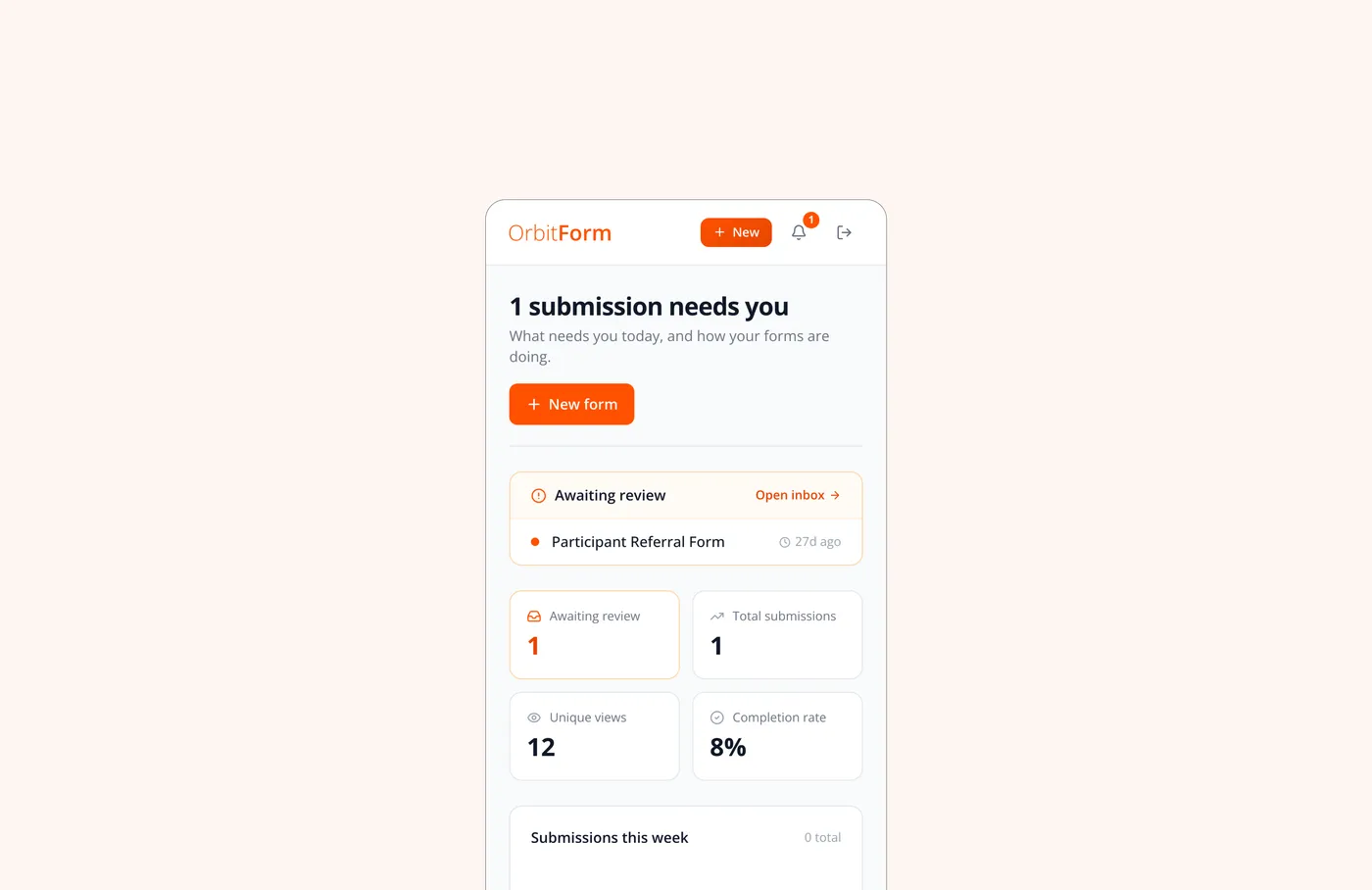
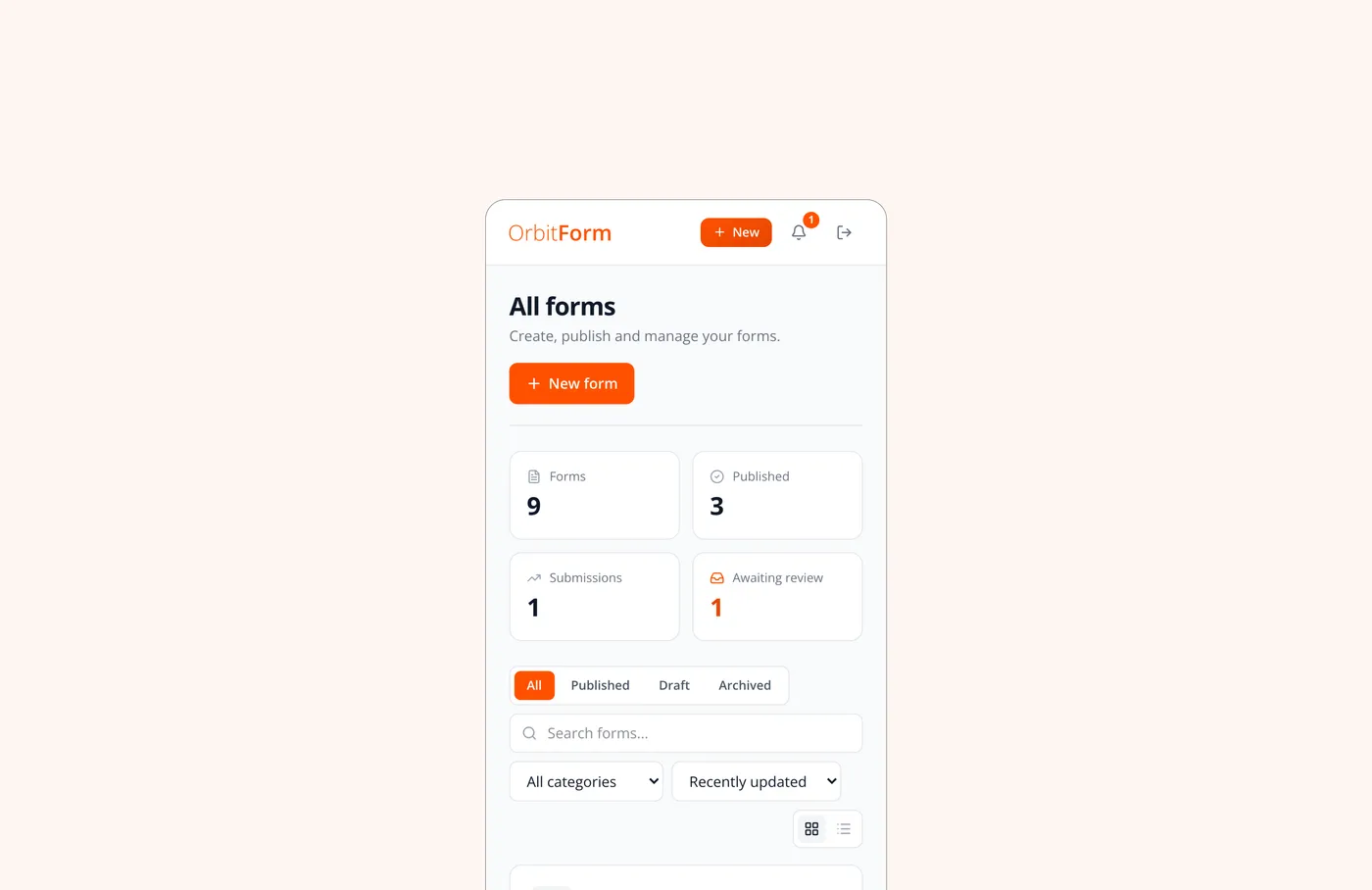
Most people meet this product on a phone, in a kitchen or a car, often at a hard moment. The form asks one thing at a time, saves from the first keystroke, and can be picked up later from a private link. Out of range, it keeps working: the answers, and a signature drawn on the screen, wait on the device and send themselves when the signal comes back. Nobody has to make an account.
Six jobs run the moment a response lands
In other form tools, staff do this by hand. Here, each response is scored, the right people are emailed, the documents are created and the record is added to the care system. Staff can see each job in the response, and every five minutes OrbitForm retries any job that failed.
- 01ScoringThe rules check the answers, then the AI reads them
- 02Team alertThe right people are emailed straight away
- 03AutomationsThe team's own rules run, and other systems are told
- 04Copy to the participantTheir answers, as a PDF, if the form asks for it
- 05DocumentsA PDF, Word or Excel file is created and attached
- 06Care recordA referral, client, incident or agreement is added to the care system
Rules first, AI second
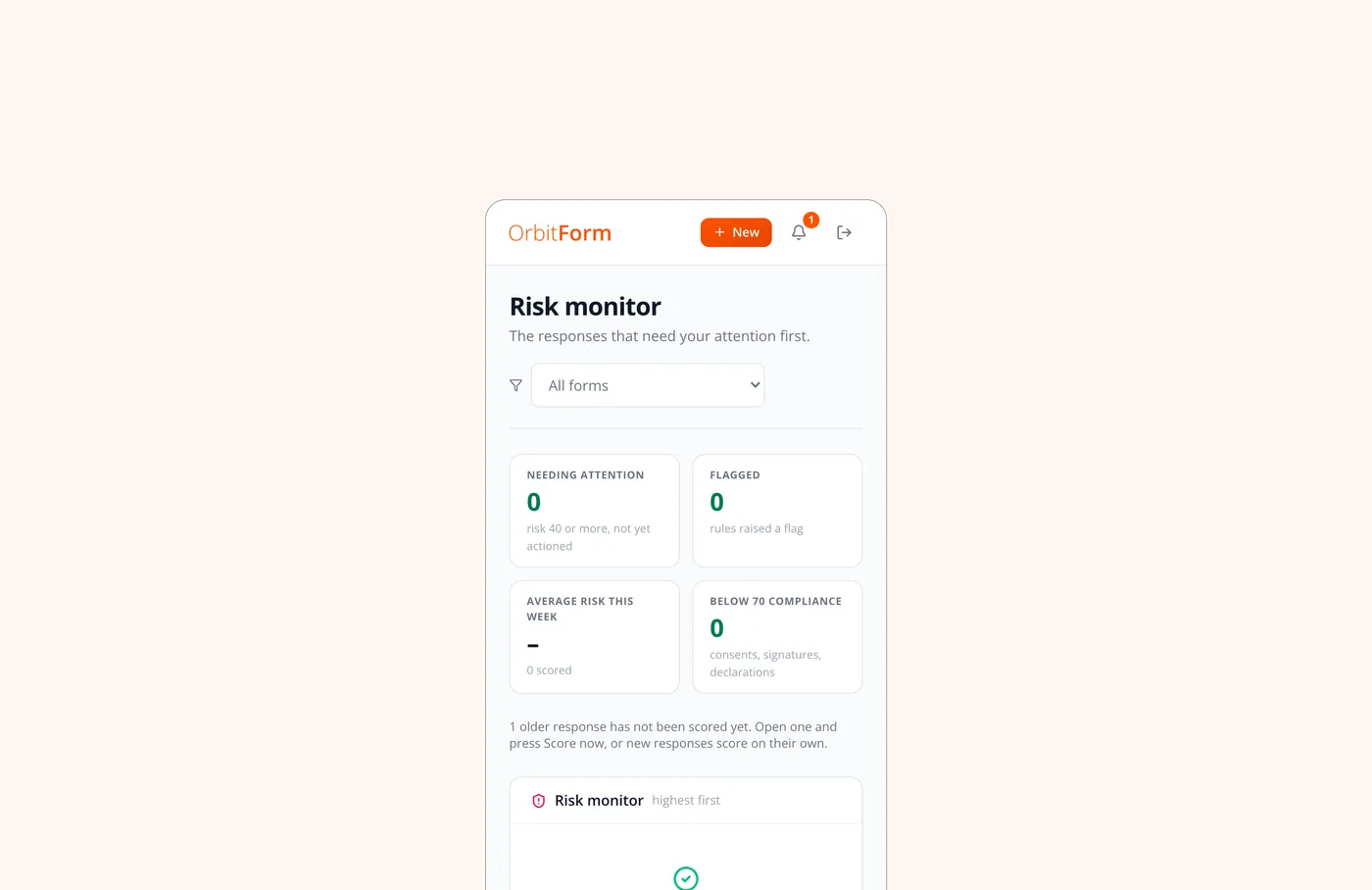
Where vulnerable people are involved, a score has to be explainable. Every point traces back to a specific answer, and the reason sits beside the number. Claude then reads the whole response the way an intake coordinator would, and writes a short summary, a suggested next step and up to four concerns. It can raise risk by up to thirty points, never lower it, and it cannot clear a flag or close anything. The rule-only scores are kept separately, so its influence is always visible. If it is unavailable, the rules simply stand.
- 01
Completion
How much of the form was answered, with required questions counting double.
- 02
Risk
Points from the rules the team wrote, banded so attention goes where it is needed.
- 03
Compliance
Starts at 100 and drops for a missing consent, declaration or signature.
- 04
Evidence
Falls when a required signature or attachment is not there.
- 05
Confidence
Falls as required answers go missing, so a thin response is never read as a full one.
One inbox, and everything about a response in one place
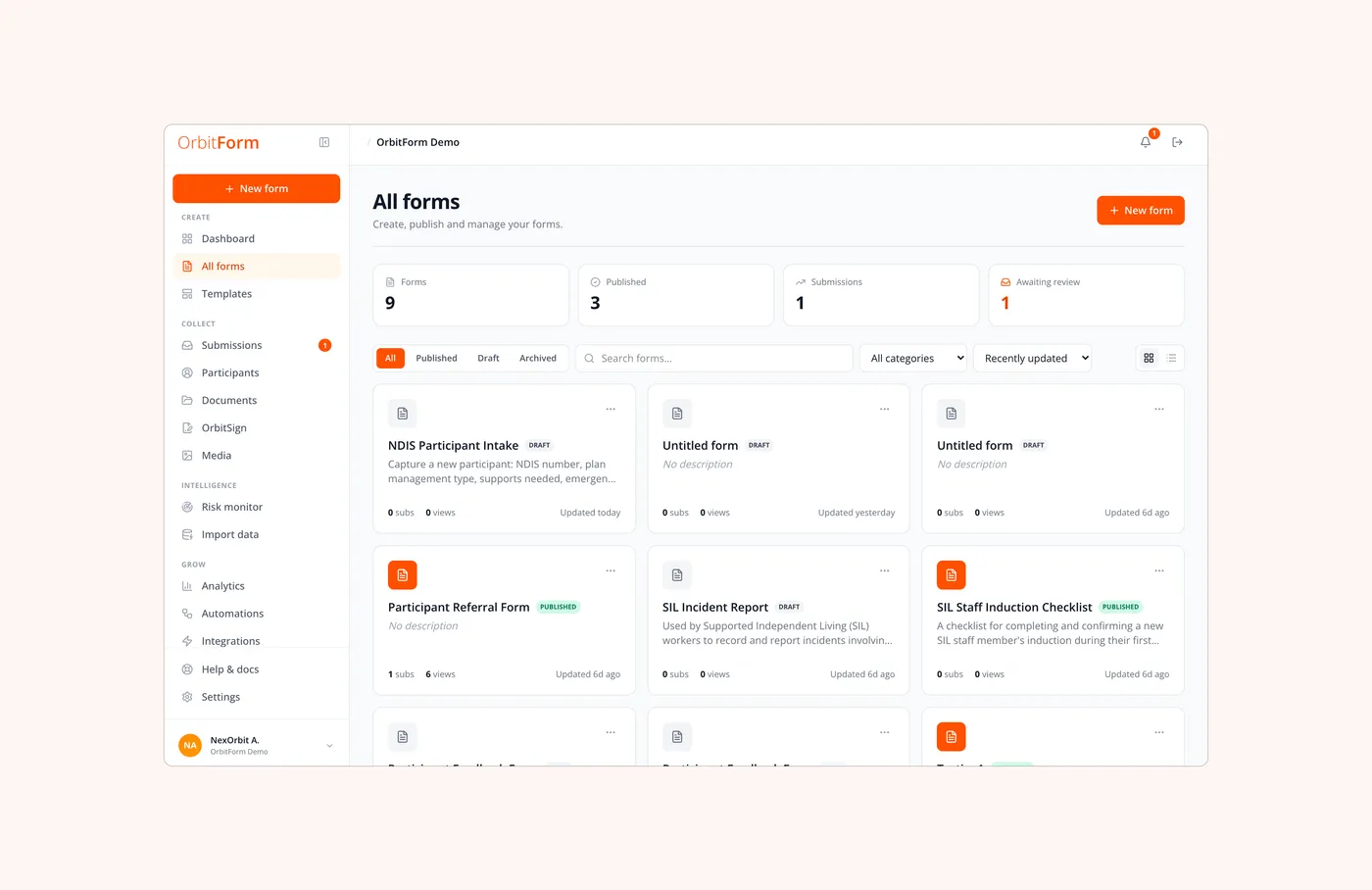
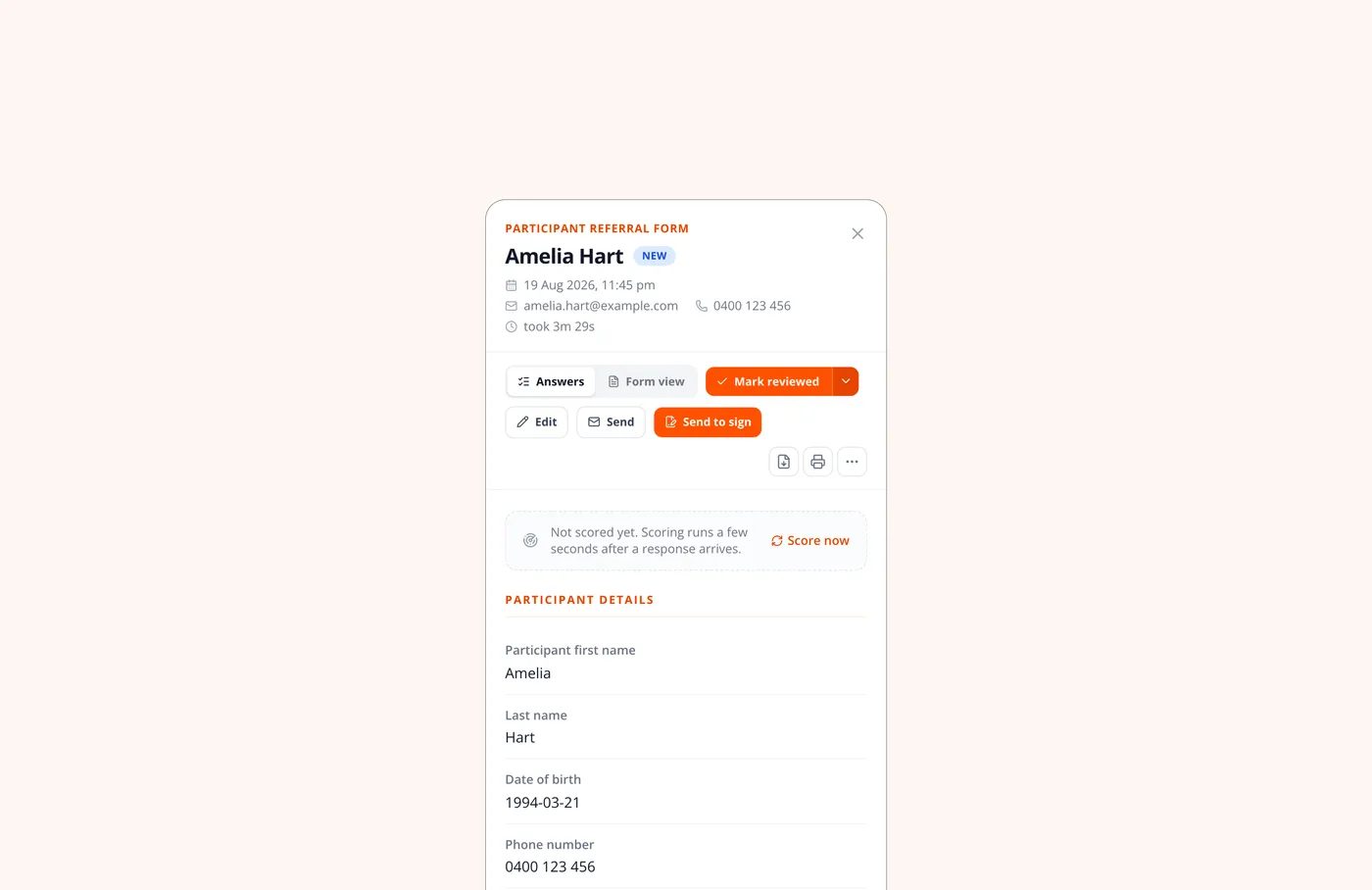
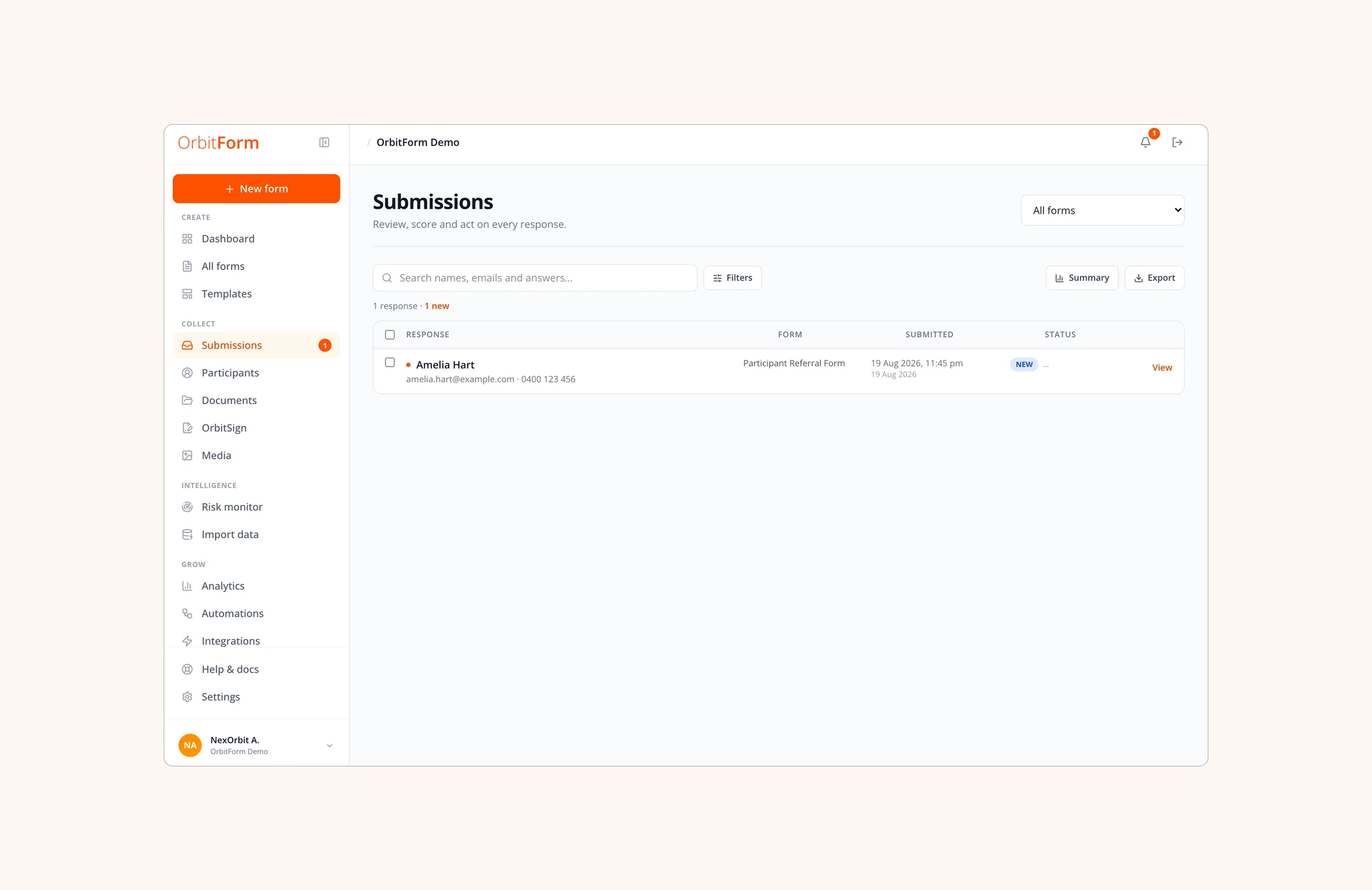
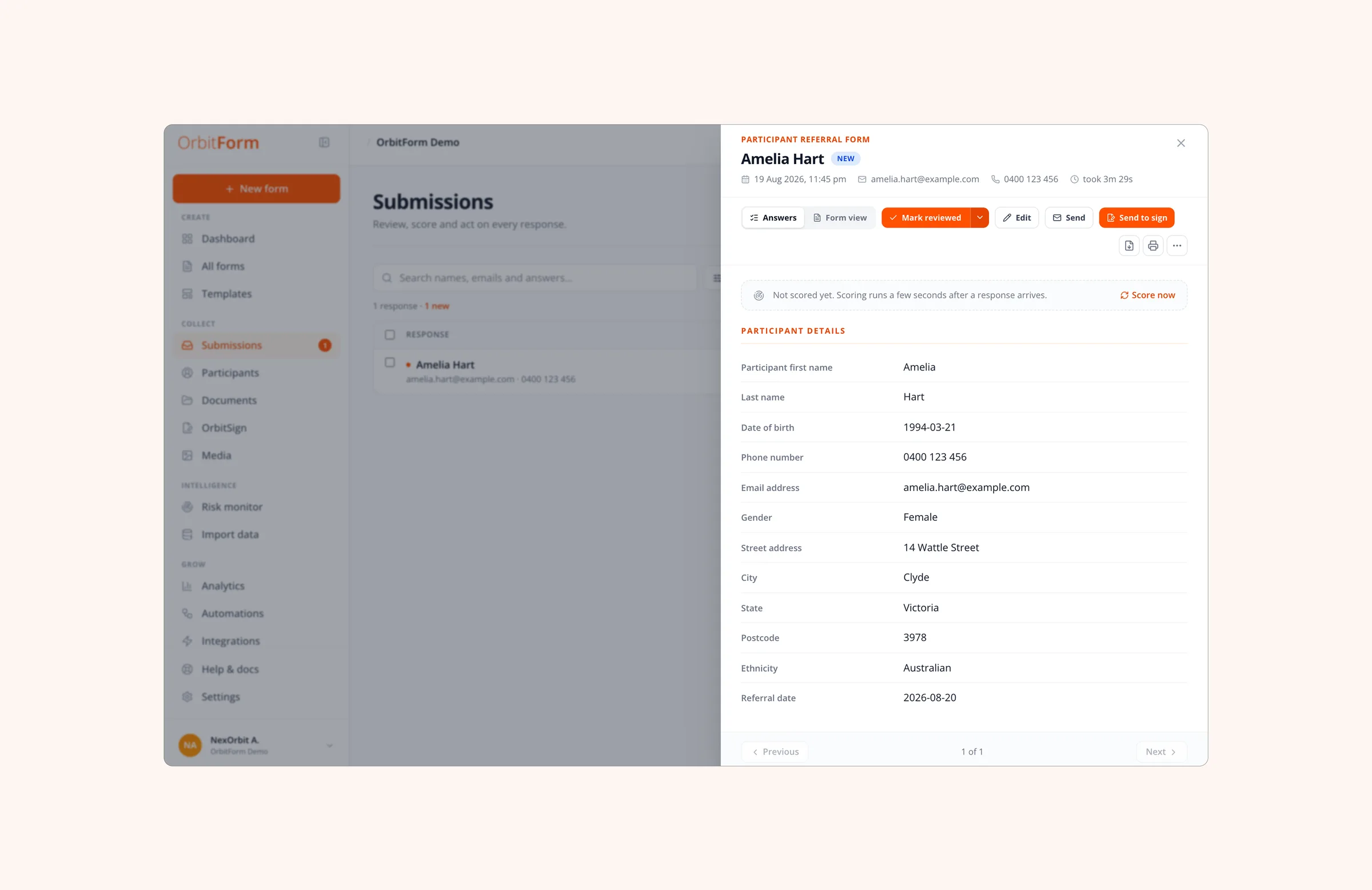
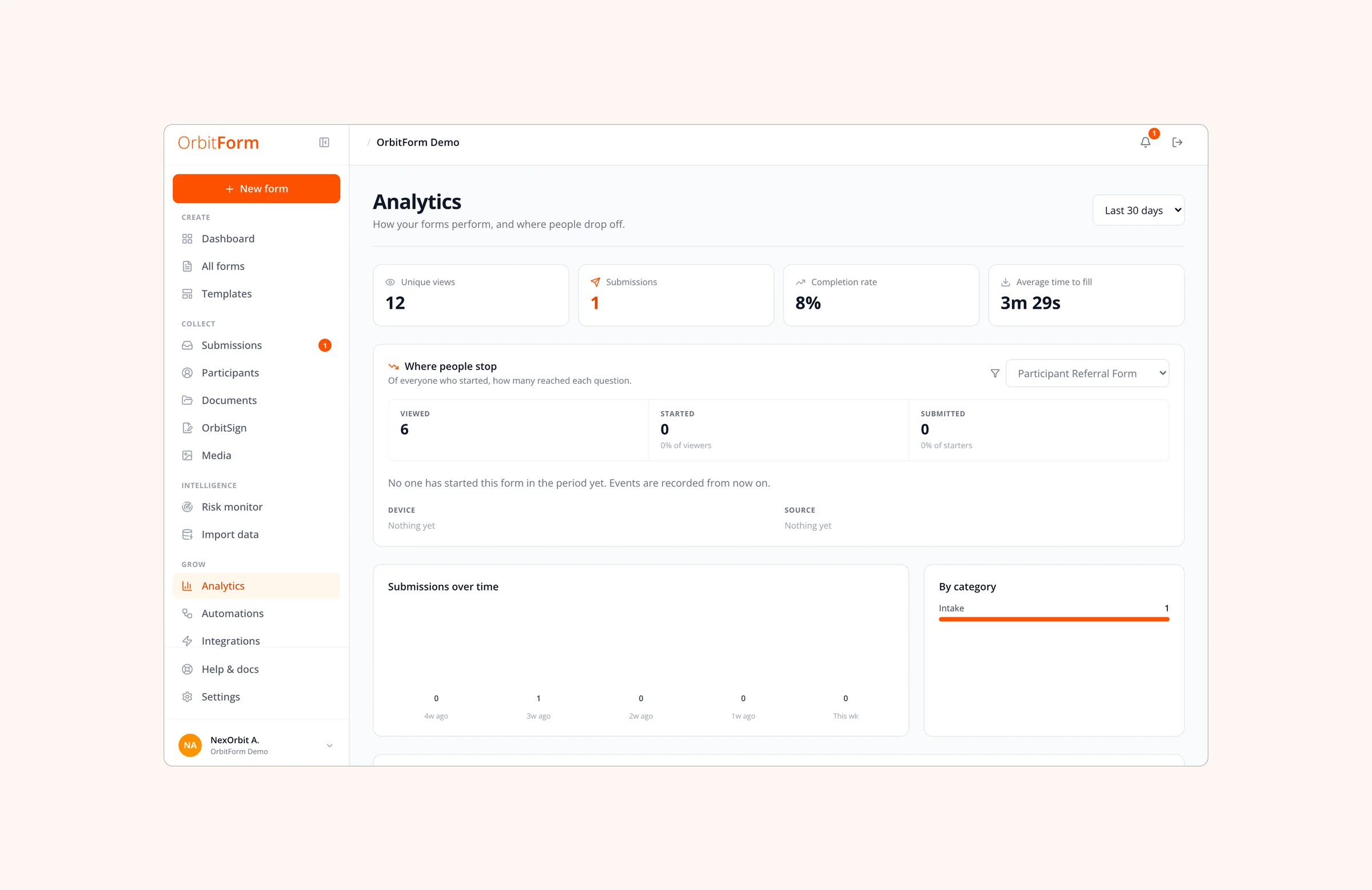
The dashboard opens on what needs you today, not on a chart. In a response, staff see the answers, the scores with their reasons, the documents, the signature status and the jobs that have run, and can correct an answer, which rescores it, or send it for signature without leaving the drawer. Analytics only counts what it can prove: unique views, completion, time to fill, and the question where people stop.
Everything it handles
One tool covers the whole of it, from drafting a form to starting a service.
Twenty-eight everyday jobs, from drafting a form to starting a service
Signing that understands the document
Most e-signature tools only know where the signature boxes are. OrbitSign reads the document, finds every place that needs a signature and a date, and works out who should sign from seven roles, following the NDIS supported decision-making model. When the last person signs, the agreement is filed in the care system and the service can start.
Consent, recorded
Before signing, people agree to sign electronically under the Electronic Transactions Act 1999, and that wording is versioned.
Identity, checked
Signers confirm who they are with an email link, an access code or an SMS code. The codes are never stored in readable form.
Documents that cannot change
Each document is fingerprinted when it is sent and checked again before every signature. If anything changed, signing stops.
A record nobody can edit
Every signing step is written to a log that nobody can change, not even an administrator.
Each provider's data kept apart
A provider only ever sees its own data. The platform team sees totals, never personal details.
Every version kept
Each published version of a form is saved, and every response stays linked to the version it was filled in on.
What the provider gets back
Nobody spends an hour retyping a referral. Agreements reach the right file on their own, incidents are seen the same day, and the audit evidence is already collected because it was captured as the work happened. Consent, identity checks, signatures and records all sit in one tool, so nothing gets lost between systems.
- 43field types, in five groups
- 6jobs run after every submit
- 5scores on every response
- 0 to 30risk points the AI can add, never subtract
- 7signer roles recognised
- 5 minbetween retries of any job that failed
Live, with a provider running on it end to end
Designed and built in about four weeks, and now in daily use by an NDIS provider, from the first referral through to the signed agreement. The public website lists only what the product does today.